
SFEMS TECHNOLOGIES
SFEMS CLOUDDevice and Site Monitoring Platform
Bring device status, sites and alerts into one view. SFEMS CLOUD helps your team monitor the connected safety ecosystem and prioritize follow-up actions.
Discuss your site requirements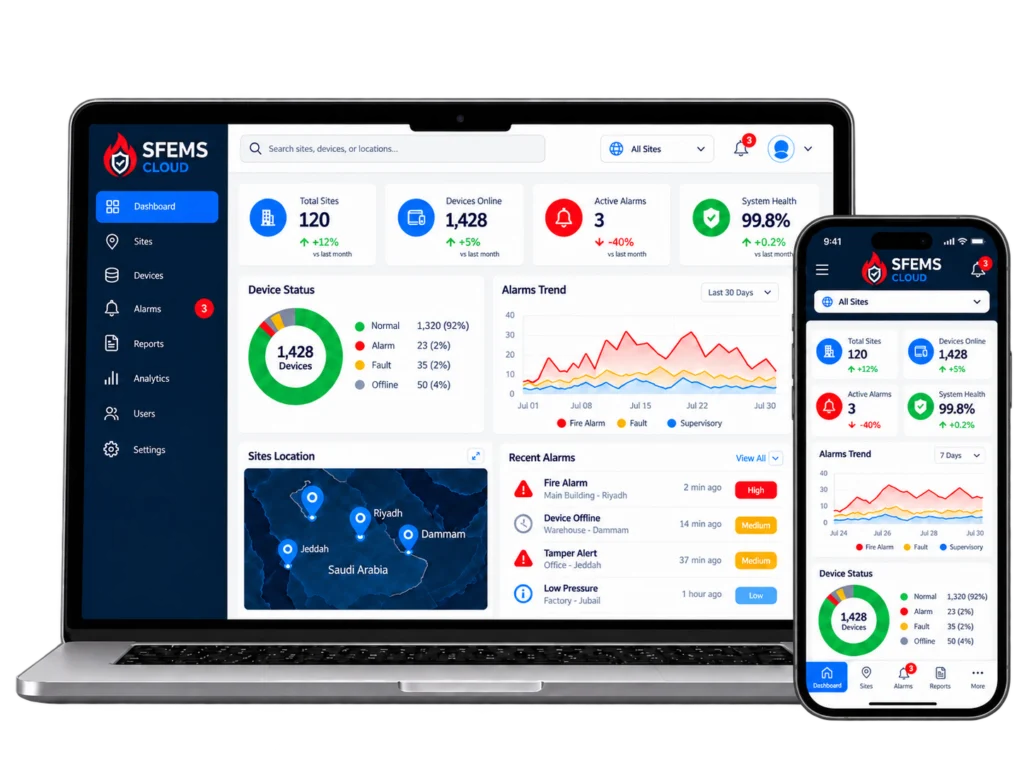
What it brings to your monitoring system
Operational alert review
Web and mobile reports and analytics
Its role in the connected system
The platform presents information received from the device and gateway network to support status review and operational follow-up.
Explore the connected monitoring solutionPlanning your deployment
Discuss your sites, teams, responsibilities, reporting needs and how alerts should be handled.
Explore industry applicationsFrom device status to follow-up
Map and locations
Review device locations and status in a map view alongside registered site information.
Operational alerts
Review low pressure, high temperature, seal tampering, offline devices, low battery and maintenance-due scenarios.
History and reporting
Review device status history, alert records and maintenance activity to support inspections and follow-up.
User and site management
Organize facilities, users and access permissions within the monitoring platform.
SFEMS CLOUD questions
Answers for this page, with links to relevant detail.
What information can SFEMS CLOUD bring together?
The product handbook describes device and site status, registered locations, operational alerts, history and reporting in a web and mobile monitoring platform. The information comes through the SFEMS LINK gateway and compatible field network.
Can the platform support several facilities?
Multi-site visibility is part of the platform description. The site structure and access arrangements should match the organisation and deployment scope. Explore the industry applications when planning buildings, campuses or separate facilities.
How are users and access organised?
The handbook includes user and site management. Confirm the required permissions and responsibilities during project scoping, including who reviews each site and follows up events. Discuss these needs through the SFEMS enquiry page.
Does a cloud alert automatically discharge an extinguisher?
The supplied solution is for monitoring and operational follow-up. It preserves the extinguisher’s independent firefighting function. Alerts help authorised teams review conditions and decide the appropriate response under their procedures. See how the monitoring solution works.
How can history and reports support inspection work?
Recorded status and events can help teams revisit a condition and organise follow-up. They support the wider inspection and maintenance process. Our article on manual and smart inspections explains the complementary roles.
Which alert types and delivery arrangements should we confirm?
Agree the supported device events, alert rules, users, notification channels and connectivity assumptions for the deployment. The handbook describes several scenarios, but the project configuration determines what is enabled. Start with the eDevice monitoring capabilities.